This product is transferred. If you delete it, you will no longer be able to buy it with a 100% discount for the initial order. Would you still like to proceed?
Draw customer attention with the colorful ribbons like Best Seller, Most Popular, Customers Pick, Limited Edition, Special Offer, 100% Natural, New Arrival, Sale % OFF, Free Shipping, etc.
Design elegant labels of different shapes and color
Looking to equip your store with additional features and overcome the limitations of Magento 1? Explore the Magento Custom Development Service we offer! Your initial consultation is free.
Design labels without uploading images
Select an elegant label shape from the gallery, pick the color that suits the design of your store and create your own stickers. Responsive design of such labels will ensure rapid page loads on all devices.
Use ready-made labels
Get six packs of ready-made labels which you can use immediately. Hot Deal, Black Friday Sale, Limited Edition, Bestseller and other stickers are at your disposal out of the box. Save your time and have fun by emphasizing and refreshing your web product shelf easily. You can also upload any images to your taste and edit them for the distinct purposes of your enterprise. Boost your promo campaigns with the flexible label configuration tools.
NEW! SVG format supported!
Attract customer’s attentions with the special offers
The extension automatically calculates and displays discount percent or flat amount based on the difference between special and regular price. When discount amounts are decimal numbers, it rounds them using one of three algorithms.
Emphasize for new products in Magento
Add Magento image label and text like 'NEW! Arrived 2 days ago!'. The amount of days is indicated based on the variable. You can either use 'New From' and 'New to' dates for a product or set the number of days after product creation when an item should be considered new.
Special occasions labels for a certain time period
Define the dates and particular hours between which the labels should be displayed. So if run a sale from November 23 till December 5 or schedule discounts from 11 a.m. to 4 p.m., the module displays stickers only for these intervals.
Adjust label display to your store needs
Preview labels from the backend
Now editing labels doesn't require going to the front end each time you want to view the changes. Label preview instantly demonstrates all the adjustments right in the backend. Easily manage label on the same page - this feature can save you hours of time!
Configure label in seconds
You can place Magento labels in the following positions: top-left, top-center, top-right, middle-left, middle-center, middle-right, bottom-left, bottom-center, and bottom-right. As well as configure size and styles.
Set priorities for label display, hide labels with lower priority
Create more than one ribbon for the product. Set priorities if you have large number of stickers. Hide low-priority labels, when the one with higher priority is already applied to a product.
Manage labels easily
Change status, activate or deactivate and delete labels via mass actions right from the labels grid. For convenience, you can browse labels by product and category pages text. You also can duplicate label quickly if you need similar one with just minor tweaks. The copy will appear on the grid with inactive status.
Show labels based on product price
Display the labels only for products within a certain price range. You just need to indicate which price to use for this option, e.g. base price, special price, etc.
Help customers find the right products fast
Show different labels depending on product attributes. For instance, you can add 'Nike' or 'Apple' logos to all products by these manufacturers or display the "Intel inside" label for all products that have "Intel" as processor attribute.
Hurry up your customers to purchase
Hurry up your customers to purchase
A plenty of predefined variables are available
ATTR:code} - attribute value
{SAVE_PERCENT} - save percents
{SAVE_AMOUNT} - save amount
{PRICE} - price
{SPDL} - days left for special price
{SPHL} - hours left for special price
{SPECIAL_PRICE} special price
{SKU} - product SKU
{NEW_FOR} - how may days ago the product was added
{BR} - new line
{STOCK} - product qty
How to configure this module step by step
See a thorough instruction here, it explaines how to configure the module in details. Just select the tab with the info you want to learn at the top right corner.
Take advantage of the extension flexibility
Display labels based on a variety of conditions
Use any condition combination for displaying labels. For instance, show label for products which meet the following conditions: a) have special price, b) are not new, c) belong to 'Shoes' category, d) are of black color, e) are in stock, f) sku is not Gucci or Armani. Your choice.
Unlimited number of labels
You can have any number of labels simultaneously. Add multiple labels for each product. For example show '5-year guarantee', '100% recyclable' and 'Save 30%' stickers at the same time for one product. Combine different promo campaigns and season occasions to highlight the products in a proper way.
Display Magento 1 product labels based on category
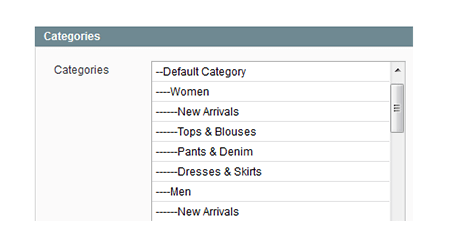
When setting up a label, you can choose to products of which category it should be applied. For example if you have a promotion for shirts, than assign label to 'Shirts' category to highlight all items from this category.
Show labels of associated products on pages of parent products
This feature is designed specifically for configurable and grouped products. Let's say there's a Magneto product ribbon or label for simple product, which is part of configurable. When this option is enabled, the ribbon/label will be displayed both on the simple product and on the configurable product associated with it.
Choose customer groups to show labels for
It's possible to display label to particular groups of customers (e.g. General, Wholesale, VIP Member, Private Sales Member). So when you have discounts for wholesale customers, you can show the labels only to them.
Use different images and text for category and product pages
Feel free to use bigger label images and longer texts on product pages and smaller badges and shorter texts on category and search results pages. You can also create text labels just with a hot text slogan, without images.
Add or remove labels from individual products
You can automatically assign labels to sale products in Magento by indicating product attributes, category or other criteria. At the same time you can add labels to individual items, by specifying their SKUs.
Expand the list of your promotional tools
Improve shoppers UX
Apart from vivid product labels, provide your customers with a smooth browsing via AJAX Scroll, which Product Labels module is fully compatible with. Such bonuses as easy shopping process, improved usability and customer loyalty as a result are attached!
Benefit from clear stock statuses
Use stock statuses as one more powerful tool of communication with customers. Let them know when exactly this or that product appears in stock and whether some products are running out soon. With the help of Custom Stock Status module it’s easy to motivate people purchase more.
Inform customers about all store discounts
To effectively activate impulsive purchases in your store try also the Promo Banners module that dramatically boosts promo effect by incentivizing customers to buy more. It will display numerous banners with special offers and discounts on the most relevant pages like shopping cart page, product and category pages according to customers’ needs.
Create numerous promotional offers
Before starting to inform someone about the discounts you offer, you need to create them. Thus, in order to give customers no chance to leave your store without making a purchase, enhance the Product Labels extension impact with Special Promotions Pro module that enables you to create various types of discounts.
Leverage the latest e-commerce features by upgrading with our Magento 1 to Magento 2 Migration, designed for a hassle-free transition.
Are Amasty extensions compatible with all themes and extensions by other vendors?
Amasty extensions work with all plugins we issued and with most 3rd-party plugins. If you come across a Magento 2 compatibility issue with any third-party module, we’ll definitely try to help you.
If you face any technical issues, please create a ticket...
Will I get free support and updates?
Product updates for extensions purchased before Feb 1, 2022With the transition to product subscriptions, you will receive product updates for all extensions purchased before Feb 1, 2022 throughout the entire grace period — up to Aug 1, 2022. If you ...
Do you have the installation service?
Yes, you can use installation and configuration services that are available as the part of Pro and Premium add-ons for your product subscriptions.Please note that this installation service doesn’t include uninstallation. So, if you need to completely...
Can I request a free trial?
Amasty doesn’t provide any trials of Magento extensions.
There's one exception: Amasty extensions are provided for testing or demo purposes to our official Platinum Partners as a part of the “access to Amasty extensions for testing purposes with Composer...
Can I test an Amasty extension on a staging site before transferring it to a live one?
Yes, you can install any Amasty extension on a test site and configure all the settings there before doing it on your live store.
How can I get a refund?
Amasty offers to its Customers a thirty (30) day money-back guarantee for the Software. In case the acquired extension didn’t meet your expectations, our support team is always ready to help you. Fees for support subscriptions and any services provided...
How can I receive a discount?
We are now working at a loyalty program for our customers that is supposed to bring even greater benefits in the long term. While it’s not out yet, you can look through these Special Offers. New discounts and specials are added every month. To stay ...
How to update a Magento 2 Amasty extension?
To update a Magento 2 extension by manual upload:1. log in to the customer account;2. navigate to the Products tab, scroll to the packages section, and click the Download link next to the extension that should be updated;3. Important: If some extension...
If I need additional features to be added to an Amasty extension, how can I ask for it?
To leave your feature request, log in to your customer account and open the Products tab. Then, scroll down to the bottom of the page, and leave your feature request in the following form:
As soon as you send your request, it is considered by our ...
How can I prolong support?
If you have an active support service subscription, it grants you access to support services for all products purchased before Feb,1 as long as your subscription is active. Alternatively, support services are only available as the part of a product ...
Can I change the EE extension to CE for free?
Usually, no, you can’t exchange modules. Please, contact our support managers and they’ll consider your case individually.
→ Learn more about our special offers
How can I get a discount to re-purchase plugins?
Usually, we don’t provide any discounts. But you can contact us, and we’ll consider your case individually.
→ Learn more about our special offers
What is the license policy? On how many websites can I use Amasty extensions?
Our license allows you to use a single extension license agreement on one Magento installation.If you run several domains on the same instance of Magento, you can use one extension license. However, if you run each website on a new installation of Magento...
How can I pay for Amasty extensions?
You can pay for our extensions in any convenient for you way as a full range of payment methods are supported. The most common means are credit card or PayPal. Security and fraud protection are guaranteed.
If you need to pay for the order with a non...
Can I adjust labels position to display them correctly on my site?
Yes, you can move each magento product label to a fixed position + / - custom offsets.
Can I display multiple labels based on product attribute values?
Any number of labels can be applied to a product simultaneously: 'on sale', 'save 30%', '100% recyclable'. It's possible to show a label 'new' together with other labels for one image, e.g. to the right side of the product pic. If you want to show labels in different areas, you need to modify the template.
How to install Magento 1 Amasty extensions?
Each Amasty extension package is provided with the extension files, installation & setup guides and a license agreement. Some extensions include import file examples as well.Before installing any extension, please create a backup of the root folder...
What product types are supported by this Product Labels module?
A product image label can be applied to any type of products, our extension supports all of them.
Fix we resolved issue with applying special price condition
4.1.22 - Jun 10, 2019
Fix the minor issues were resolved
4.1.21 - Feb 19, 2019
Compatibility a compatibility with 3-rd party extensions was improved
4.1.20 - Jan 22, 2019
Fix an issue with javascript initialization was resolved
4.1.19 - Dec 26, 2018
Compatibility compatibility with Amasty Improved Layered Navigation was enhanced
4.1.18 - Oct 01, 2018
Compatibility compatibility with the 3rd party extensions was enhanced
4.1.17 - Aug 08, 2018
Improvement the category condition settings were enhanced
4.1.16 - Jul 12, 2018
Fix the issue with bundle and configurable products was resolved
4.1.15 - Jul 06, 2018
Improvement labels priority logic for both product and category pages was enhanced
4.1.14 - Jun 27, 2018
Compatibility compatibility with Amasty Ajax Scroll extension was improved
Fix the issue with special price condition when date is not set was resolved
4.1.13 - Jun 18, 2018
Improvement the code refactoring was made
4.1.12 - Jun 08, 2018
Improvement performance optimization
Fix the issue for php v.5.3 was resolved
4.1.11 - Jun 05, 2018
Fix the issue with label text color not changed without filled in text size was resolved
4.1.10 - May 23, 2018
Improvement removed zeroes from the {SAVE_AMOUNT} variable, e.g. £3 OFF instead of £3.00 OFF
Fix the issue with the bundle product was resolved
Other minor improvements
4.1.9 - May 04, 2018
Improvement the label text setting performance for the {PRICE}, {STOCK} and {SAVE_PERCENT}/{SAVE_AMOUNT} conditions was enhanced
4.1.8 - Apr 26, 2018
Improved the compatibility with custom themes
4.1.7 - Apr 18, 2018
Improved the compatibility with Amasty Color Swatches Pro extension
Fixed an issue with the z-index
Fixed the minor issue with the text size
4.1.6 - Apr 09, 2018
Fixed an issue with the price ranges
4.1.5 - Apr 04, 2018
Information section is added. Now you can see the version of installed extension, available updates, User Guide link, conflicts and other useful data right on the module Configuration page
Fixed an issue with text style
4.1.4 - Mar 05, 2018
Fixed an issue with the label type
4.1.3 - Feb 27, 2018
Fixed an issue with the customer group conditions not working for particular SKU specified manually
4.1.2 - Feb 08, 2018
Compatibility with Amasty Ajax Scroll extension
4.1.1 - Jan 11, 2018
Minor improvements
4.1.0 - Dec 04, 2017
New Added the SVG image type compatibility
Version 4.0.12
Last Update: Aug 28, 2017
4.0.12 - Aug 28, 2017
Fixed the minicart issue at the category page
4.0.11 - Jul 05, 2017
Performance improvement - don't save labels without labels data changes
4.0.10 - Jun 16, 2017
Stability improvements
4.0.9 - Apr 18, 2017
Minor improvement for sizing labels
4.0.8 - Apr 04, 2017
Improvements for On Sale condition
4.0.7 - Mar 31, 2017
Improvement for font size being responsible
4.0.6 - Feb 06, 2017
Performance of the extension improved by adding cache routines
Few minor improvements
4.0.5 - Jan 05, 2017
Fix for 404 error (not found) when label does not use image
Improvement for detecting label image type
4.0.4 - Dec 23, 2016
Fix for saving color value from the color picker
4.0.3 - Nov 23, 2016
Improvement for \"is on sale\" validation when only special price is used
4.0.2 - Nov 09, 2016
Option to give permissions to edit labels at the product page in admin area
Code review according to the Magento Marketplace standards
4.0.1 - Oct 31, 2016
Fixed issue with position of the product label for non-automatic mode
4.0.0 - Oct 11, 2016
New back-end interface and usability updates
Live Preview of the labels in the backend
New label types allow admin to choose shapes and color
Fresh labels pack was added
Variables for the special price time and for the product stock
New condition 'Display if stock is lower than' for the Low Stock
Duplicate label and Change Status mass action are available
Possibility to add text without images as label
Version 3.1.2
Last Update: Mar 09, 2016
3.1.2 - Mar 09, 2016
Minor fix
3.1.1 - Oct 02, 2015
Use native date functions instead of PHP date functions to take into account all admin settings
Version 3.0.12
Last Update: Jul 15, 2015
3.0.12 - Jul 15, 2015
Permissions and security fix for Magento 1.9.2
3.0.11 - May 19, 2015
Minor improvements
3.0.10 - Apr 03, 2015
Better compatibility with Custom Stock Status extension